Flatten The Mountain Controls
Move, mine, and look at the bird — on keyboard, touch, and gamepad.
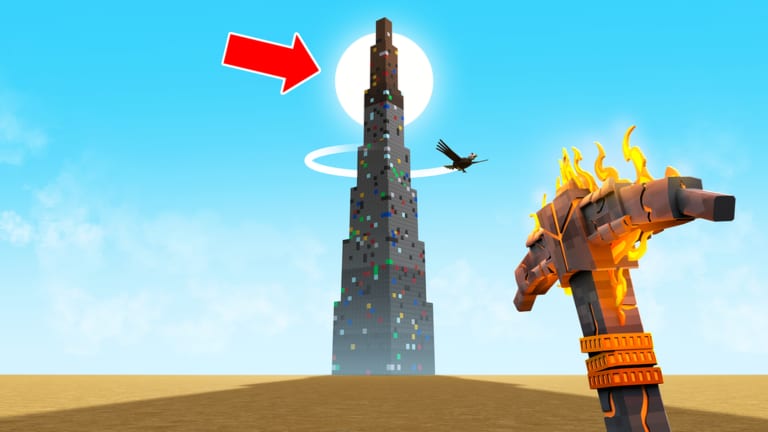
Flatten The Mountain uses the Roblox control set, then asks you to do two extra things well: look up at the eagle ring, and click voxels without sliding off a terrace. This page is the practical map. If a key is rebound in your Roblox settings, trust the in-game prompt over this table. We will not invent a unique “R to flatten” bind just because another game used it.
PC (keyboard and mouse)
| Action | Default |
|---|---|
| Move | WASD |
| Look / turn | Mouse |
| Mine / use tool | Left click |
| Jump | Space |
| Sprint (if enabled) | Shift |
| Open Roblox menu | Esc |
Shop, Skill Tree, and drone menus are on-screen buttons. There is no universal Roblox key for “Skill Tree.” Look for a HUD icon after spawn. If you cannot find it, rotate the camera away from the tower; first-person pickaxe views hide side buttons. The getting started guide assumes you can open that tree before the first drone.
Lower mouse sensitivity if you keep yeeting the camera into the sun. You need to see the white eagle ring, not a motion-blurred sky.
Mobile
| Action | Default |
|---|---|
| Move | Left thumbstick |
| Look | Drag on the right |
| Mine | Tap the block or the on-screen action |
| Jump | Jump button |
Play in landscape. Portrait clips the shop and makes the tower look even taller than it is. If taps mine the wrong cube, move closer; the voxel grid is chunky but the hitboxes are still 3D. Park drones before you try to tap interiors, because two thumbs cannot fight the eagle and a nested chest at once.
Console
| Action | Typical Roblox bind |
|---|---|
| Move | Left stick |
| Look | Right stick |
| Mine | RT / R2 |
| Jump | A / Cross |
| Roblox menu | Button with the Roblox logo / View |
Console players should invert look if they come from shooters and keep overshooting the peak. Mining is a rhythm game more than a twitch game. Hold the trigger through a cluster rather than tapping every cube unless the cluster is a suspected chest.
Camera rules that are actually skill
- After every few swings, flick to the eagle ring.
- When opening the Skill Tree, do it inside a notch, not on a needle.
- When placing a turret, look along the beam. If it hits sky, cancel.
- Shift-lock (PC) can help terrace walking and hurt eagle checks. Toggle it when you change jobs.
If you fall off the tower, that is a control issue and a flatten issue. Build wider floors. How to flatten is the architectural fix. This page is the input fix.
Accessibility and comfort
Roblox supports key remaps in its own settings. Bind jump somewhere you can hit while holding click if you play one-handed. Reduce graphics if the 25-player lobby plus drones plus lasers turns the instance into a slideshow — a slideshow is how the eagle sneaks up. Headphones help; you may hear the bird before you see it.
If a prompt says something we did not list
Trust the prompt. Live Roblox games add context actions. If a new bind appears after a patch, we will add it. Until then, do not copy controls from Climb a Mountain (stakes, flags, Bloxy Cola) or from a script vendor who wants you to press a key that launches an executor. That key is on script safety, not here.
Pair this page with the beginner guide and the Skill Tree guide. Inputs get you onto the rock. The tree gets you off it.
Frequently Asked Questions
Quick answers to the questions miners ask most.
What is the mine button in Flatten The Mountain?
Left click on PC, tap on mobile, RT/R2 on console, unless you rebound it in Roblox settings.
How do I open the Skill Tree?
Use the on-screen HUD button. Rotate the camera off the tower if the pickaxe view is covering it.
Can I play on a phone?
Yes. Use landscape, park drones, and check the eagle ring more often because the screen is small.
Why do I keep falling?
Terraces are narrow if you tunnel. Cut wider floors. See how to flatten.